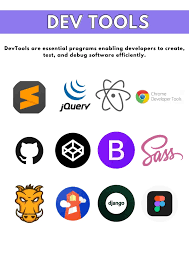
The Essential Development Tools Every Developer Should Know
As a developer, having the right tools at your disposal can make a significant difference in your productivity and the quality of your work. Whether you are a seasoned pro or just starting out, here are some essential development tools that every developer should be familiar with:
Integrated Development Environments (IDEs)
An IDE is a software application that provides comprehensive facilities to programmers for software development. Popular IDEs like Visual Studio Code, IntelliJ IDEA, and Eclipse offer features such as code editing, debugging, version control integration, and more.
Version Control Systems
Version control systems like Git are essential for tracking changes in code and collaborating with other developers. Git allows you to manage different versions of your codebase efficiently and facilitates team collaboration.
Package Managers
Package managers like npm (Node Package Manager) and pip (Python Package Index) help developers manage dependencies in their projects. These tools simplify the process of installing, updating, and removing libraries or packages required for development.
Browser Developer Tools
Modern web browsers come equipped with developer tools that allow you to inspect HTML elements, debug JavaScript code, optimize performance, and test responsiveness. Tools like Chrome DevTools and Firefox Developer Tools are indispensable for web development.
Testing Frameworks
Testing frameworks such as JUnit for Java or Jest for JavaScript enable developers to write automated tests to ensure the functionality and reliability of their code. Writing tests helps identify bugs early in the development process.
Task Runners and Build Tools
Task runners like Gulp and build tools like Webpack automate repetitive tasks such as minification, compilation, and bundling of assets in a project. These tools streamline the build process and improve workflow efficiency.
By familiarising yourself with these essential development tools, you can enhance your coding experience, streamline your workflow, and deliver high-quality software solutions efficiently.
Maximising Efficiency: 9 Essential Tips for Mastering Development Tools
- Choose the right development tools for your project requirements.
- Stay updated with the latest features and updates of your development tools.
- Learn keyboard shortcuts to improve your productivity while using development tools.
- Utilise debugging tools effectively to identify and fix issues in your code.
- Backup your work regularly to prevent data loss when using development tools.
- Explore plugins and extensions that can enhance the functionality of your development tools.
- Collaborate with team members by using version control systems integrated into your development tools.
- Take breaks to prevent burnout while working with development tools for long hours.
- Seek help from online communities or forums when facing challenges with your development tools.
Choose the right development tools for your project requirements.
Selecting the appropriate development tools tailored to the specific needs of your project is paramount to its success. By carefully considering factors such as the nature of the project, team expertise, scalability requirements, and budget constraints, you can ensure that the chosen tools align seamlessly with your development goals. Opting for tools that offer robust features and support can enhance productivity, streamline workflows, and ultimately contribute to delivering a high-quality end product efficiently. Remember, choosing the right development tools is not just about functionality but also about how well they complement your project’s unique demands and objectives.
Stay updated with the latest features and updates of your development tools.
It is crucial for developers to stay updated with the latest features and updates of their development tools. By keeping abreast of new releases and enhancements, developers can take advantage of improved functionalities, performance enhancements, and bug fixes that can enhance their productivity and efficiency. Regularly updating development tools also ensures compatibility with the latest technologies and standards, enabling developers to stay current in a rapidly evolving industry. Embracing updates proactively can lead to smoother workflows, better code quality, and ultimately more successful projects.
Learn keyboard shortcuts to improve your productivity while using development tools.
Mastering keyboard shortcuts is a valuable skill that can significantly enhance your productivity when using development tools. By learning and utilising keyboard shortcuts, you can streamline your workflow, navigate through code more efficiently, and perform tasks with speed and precision. These shortcuts help you save time by reducing the need to switch between mouse and keyboard inputs, allowing you to focus on coding and problem-solving without interruptions. Investing time in mastering keyboard shortcuts is a worthwhile endeavour that can make a noticeable difference in your productivity as a developer.
Utilise debugging tools effectively to identify and fix issues in your code.
To optimise your development process, it is crucial to harness debugging tools effectively in order to pinpoint and resolve issues within your code swiftly. By utilising debugging tools proficiently, developers can efficiently identify errors, trace the flow of execution, and debug complex problems, ultimately leading to more robust and reliable software solutions.
Backup your work regularly to prevent data loss when using development tools.
It is crucial to remember to regularly backup your work while using development tools to mitigate the risk of data loss. By maintaining up-to-date backups of your code and project files, you can safeguard against unexpected technical failures, accidental deletions, or other unforeseen issues that may compromise your work. Implementing a consistent backup routine not only ensures the security and integrity of your development projects but also provides peace of mind knowing that your hard work is protected and easily recoverable in case of emergencies.
Explore plugins and extensions that can enhance the functionality of your development tools.
To maximise the potential of your development tools, it is advisable to explore plugins and extensions that can augment their functionality. By integrating additional plugins or extensions, developers can customise their tools to suit their specific needs, streamline workflows, and access new features that enhance productivity. Whether it’s adding new debugging capabilities, integrating with other tools seamlessly, or automating repetitive tasks, leveraging plugins and extensions can significantly boost efficiency and effectiveness in the development process.
Collaborate with team members by using version control systems integrated into your development tools.
Collaborating with team members is essential in software development, and one effective way to streamline this process is by using version control systems integrated into your development tools. By leveraging tools like Git within your IDE, you can easily track changes, manage code versions, and collaborate seamlessly with colleagues. This approach ensures that everyone on the team is working on the latest codebase, reduces conflicts during code merges, and enhances overall project efficiency. Embracing version control systems as part of your development workflow fosters better communication, coordination, and productivity among team members.
Take breaks to prevent burnout while working with development tools for long hours.
It is crucial to remember the importance of taking breaks while working with development tools for extended periods to prevent burnout. Continuous focus and intense concentration can lead to mental fatigue and decreased productivity. By incorporating regular breaks into your work routine, you allow your mind to rest and recharge, ultimately enhancing your overall performance and well-being. Whether it’s a short walk, a quick stretch, or a moment of relaxation, taking breaks is essential for maintaining a healthy balance and sustaining long-term productivity in the dynamic field of software development.
Seek help from online communities or forums when facing challenges with your development tools.
When encountering challenges with your development tools, it is beneficial to seek assistance from online communities or forums. Engaging with like-minded individuals who may have encountered similar issues can provide valuable insights, solutions, and support. By tapping into the collective knowledge and experience of these communities, you can overcome obstacles more effectively and enhance your proficiency with development tools. Sharing your challenges and learning from others fosters a collaborative environment that promotes growth and continuous improvement in your development journey.