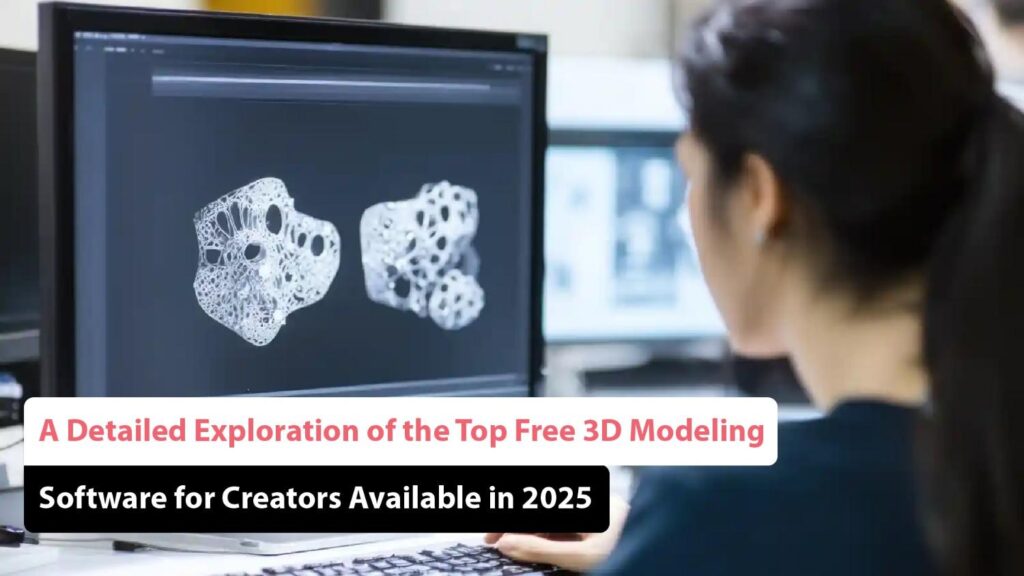
Exploring the World of Free 3D Modeling Software
3D modeling has become an essential tool in various industries, from animation and gaming to architecture and product design. While professional 3D modeling software can be costly, there are also many free options available that provide powerful features and functionalities for beginners and enthusiasts.
Benefits of Free 3D Modeling Software:
Accessibility: Free 3D modeling software allows users to explore the world of 3D design without financial barriers. It opens up opportunities for learning and experimentation.
Learning Curve: Many free 3D modeling tools offer intuitive interfaces and tutorials to help beginners grasp the basics of 3D design quickly.
Community Support: Users of free software often form vibrant communities where they can share knowledge, resources, and feedback, fostering a collaborative learning environment.
Popular Free 3D Modeling Software:
- Blender: Known for its versatility and robust feature set, Blender is a favourite among both beginners and professionals. It supports various modelling techniques, animation tools, and rendering capabilities.
- Tinkercad: Ideal for those new to 3D modelling, Tinkercad offers a user-friendly interface that simplifies the process of creating basic models for 3D printing or design projects.
- Sculptris: If sculpting is your passion, Sculptris provides a dynamic sculpting experience that allows you to create intricate organic shapes with ease.
- SketchUp Free: SketchUp Free offers a web-based version of its popular software, enabling users to create detailed models for architectural or interior design projects.
Conclusion
The availability of free 3D modeling software has democratised the world of digital design, allowing individuals from all backgrounds to unleash their creativity in three-dimensional space. Whether you are a hobbyist exploring new creative avenues or a student honing your skills, these tools provide a gateway to endless possibilities in the realm of 3D modelling.
8 Essential Tips for Choosing Free 3D Modelling Software
- Look for software that is user-friendly and suitable for beginners.
- Consider the features you need, such as sculpting tools, texturing options, and rendering capabilities.
- Check if the software supports various file formats for import and export.
- Explore online tutorials and communities to learn more about the software and get help when needed.
- Make sure the software is compatible with your operating system (Windows, macOS, Linux).
- Consider open-source options like Blender for a powerful free 3D modeling tool.
- Experiment with different software to find one that best suits your workflow and projects.
- Regularly save your work to prevent losing progress in case of crashes or technical issues.
Look for software that is user-friendly and suitable for beginners.
When exploring free 3D modeling software options, it is advisable to seek out tools that prioritise user-friendliness and cater to beginners’ needs. Choosing software with intuitive interfaces and comprehensive tutorials can significantly ease the learning curve for those new to 3D design, enabling them to quickly grasp fundamental concepts and start creating their own models with confidence. By selecting software that is accessible and beginner-friendly, aspiring 3D modellers can embark on their creative journey with a solid foundation and a smoother transition into the world of three-dimensional design.
Consider the features you need, such as sculpting tools, texturing options, and rendering capabilities.
When exploring free 3D modeling software, it is essential to consider the features that align with your specific needs and goals. Features like sculpting tools, texturing options, and rendering capabilities play a crucial role in shaping your creative process and achieving the desired results. By identifying the tools and functionalities that are important to you, you can select software that best suits your requirements and enhances your 3D design experience.
Check if the software supports various file formats for import and export.
When exploring free 3D modeling software, it is essential to check if the tool supports a range of file formats for import and export. Compatibility with different formats ensures seamless collaboration with other software and platforms, allowing users to work efficiently and integrate their creations into various projects. By verifying this feature, users can maximise the versatility and usability of the software, enhancing their overall 3D modelling experience.
Explore online tutorials and communities to learn more about the software and get help when needed.
To make the most of free 3D modeling software, it is highly beneficial to explore online tutorials and communities. These resources offer valuable insights, tips, and step-by-step guides that can enhance your understanding of the software and its features. Additionally, being part of online communities allows you to connect with fellow users who can provide assistance and support when you encounter challenges or have questions. By tapping into these online resources, you can accelerate your learning process and unlock the full potential of the free 3D modeling software at your disposal.
Make sure the software is compatible with your operating system (Windows, macOS, Linux).
When exploring free 3D modeling software options, it is crucial to ensure that the chosen software is compatible with your operating system, whether it be Windows, macOS, or Linux. Compatibility with your OS guarantees a smooth and efficient user experience, allowing you to fully utilise the features and tools of the software without any technical limitations. By selecting software that aligns with your operating system, you can seamlessly integrate 3D modelling into your workflow and unleash your creativity without hindrance.
Consider open-source options like Blender for a powerful free 3D modeling tool.
When exploring free 3D modeling software options, it is advisable to consider open-source solutions such as Blender. Renowned for its robust features and versatility, Blender stands out as a powerful tool that caters to both beginners and seasoned professionals in the field of 3D design. By opting for Blender, users can access a wide range of modelling techniques, animation tools, and rendering capabilities without any cost, making it an excellent choice for those seeking a comprehensive and feature-rich 3D modelling experience.
Experiment with different software to find one that best suits your workflow and projects.
When delving into the realm of free 3D modeling software, it is invaluable to experiment with various tools to discover the one that aligns best with your workflow and project requirements. Each software package offers unique features and interfaces that cater to different styles of working and project complexities. By exploring different options, you can pinpoint the software that enhances your efficiency, creativity, and overall output in 3D design. Flexibility in trying out different tools empowers you to tailor your choice to optimise your workflow and achieve success in your projects.
Regularly save your work to prevent losing progress in case of crashes or technical issues.
It is crucial to regularly save your work while using free 3D modeling software to safeguard against potential setbacks such as crashes or technical issues. By saving your progress at regular intervals, you ensure that any unexpected disruptions do not result in the loss of hours of hard work and creativity. This simple yet essential tip can help you maintain continuity in your projects and avoid unnecessary frustration.