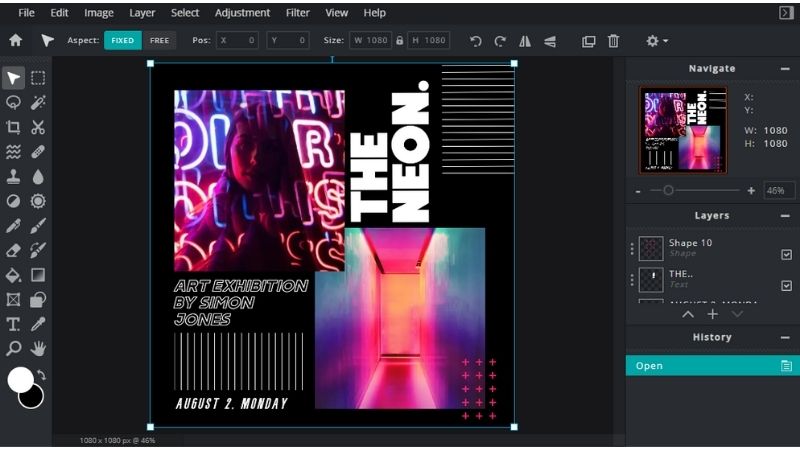
The Evolution of Graphic Art Software
Graphic art software has revolutionised the way artists and designers create visual masterpieces. From the early days of pixelated graphics to the sophisticated tools available today, these software applications have empowered creatives to bring their imagination to life in ways never before possible.
Early Days
In the early days of graphic art software, programs like Adobe Photoshop and CorelDRAW paved the way for digital design. Artists could now manipulate images, create illustrations, and experiment with colours and textures on their computers. These tools opened up a whole new world of possibilities for creative expression.
Advancements in Technology
As technology advanced, so did graphic art software. Today, we have a plethora of options available, each offering unique features tailored to different aspects of design. Software like Adobe Illustrator allows for precise vector-based illustrations, while Autodesk Maya enables 3D modelling and animation.
Specialised Tools
Graphic art software has become increasingly specialised, catering to specific industries and design needs. For example, software like Procreate is popular among digital artists for its natural brush feel and intuitive interface, while CAD software such as AutoCAD is essential for architects and engineers.
The Future
Looking ahead, the future of graphic art software is promising. With advancements in artificial intelligence and machine learning, we can expect even more intelligent tools that streamline workflows and enhance creativity. Virtual reality and augmented reality are also poised to revolutionise how designers interact with their creations.
Graphic art software continues to push the boundaries of what is possible in visual communication. As technology evolves, so too will the tools at our disposal, empowering artists and designers to continue pushing the limits of creativity.
Five Advantages of Using Graphic Art Software for Creative Design
- Graphic art software offers a wide range of tools and features for creating intricate and detailed designs.
- It allows for easy editing and manipulation of images, making it convenient for artists to experiment with different effects.
- Graphic art software enables precise control over colour schemes, textures, and dimensions, ensuring design accuracy.
- Artists can save time and resources by working digitally with graphic art software instead of traditional methods like painting or drawing.
- Collaboration is made easier with graphic art software as files can be easily shared and worked on by multiple users simultaneously.
Challenges of Graphic Art Software: Navigating Complexity, Costs, and Compatibility
Graphic art software offers a wide range of tools and features for creating intricate and detailed designs.
Graphic art software provides a diverse array of tools and features that empower artists and designers to craft intricate and detailed designs with precision and creativity. From advanced drawing tools to sophisticated layering capabilities, these software applications offer a comprehensive suite of resources that enable users to bring their artistic visions to life with finesse and complexity. Whether it’s creating intricate patterns, detailed illustrations, or complex compositions, graphic art software equips creators with the versatility and functionality needed to produce stunning visual masterpieces.
It allows for easy editing and manipulation of images, making it convenient for artists to experiment with different effects.
Graphic art software offers a significant advantage in enabling artists to effortlessly edit and manipulate images, providing a convenient platform for experimentation with various effects. This feature allows artists to explore their creativity without limitations, easily adjusting elements, applying filters, and testing different visual enhancements to achieve their desired artistic vision. The ability to make quick edits and alterations empowers artists to iterate rapidly, fostering a dynamic and exploratory creative process that leads to innovative and visually captivating results.
Graphic art software enables precise control over colour schemes, textures, and dimensions, ensuring design accuracy.
Graphic art software offers a significant advantage by providing users with precise control over colour schemes, textures, and dimensions. This level of control ensures that designers can achieve design accuracy to the minutest detail. By manipulating colours, textures, and dimensions with precision, artists can bring their creative vision to life with utmost accuracy and finesse. This capability not only enhances the quality of the final artwork but also allows for seamless integration of various elements to create visually stunning and cohesive designs.
Artists can save time and resources by working digitally with graphic art software instead of traditional methods like painting or drawing.
By utilising graphic art software, artists can significantly enhance their efficiency and productivity while conserving valuable time and resources that would otherwise be expended in traditional painting or drawing methods. The digital tools available enable artists to experiment, revise, and refine their creations swiftly and effortlessly, eliminating the need for physical materials and extensive setup time. This seamless transition to digital platforms not only streamlines the creative process but also allows artists to explore a multitude of techniques and styles without the constraints of traditional mediums, ultimately enhancing their artistic output.
Collaboration is made easier with graphic art software as files can be easily shared and worked on by multiple users simultaneously.
Collaboration in the realm of graphic art has been significantly enhanced by the capabilities of graphic art software. One notable advantage is the ease with which files can be shared and worked on by multiple users simultaneously. This feature not only streamlines the collaborative process but also promotes real-time feedback and input from team members, regardless of their physical location. By enabling seamless sharing and editing of design files, graphic art software fosters a dynamic and efficient workflow that enhances creativity and productivity within collaborative projects.
Steep Learning Curve
Graphic art software presents a significant challenge in the form of a steep learning curve. The complexity of these tools demands a considerable investment of time and effort to master, potentially discouraging beginners or individuals with limited technical skills. Navigating the intricate features and functions of graphic art software can be daunting, requiring patience and dedication to unlock its full potential. This barrier to entry may hinder aspiring artists and designers from fully embracing the creative possibilities that these tools offer, highlighting the need for accessible training resources and support systems to bridge this gap.
Costly Licensing
High-quality graphic art software can be a double-edged sword due to its costly licensing. The substantial price tag associated with top-tier graphic design tools can pose a significant barrier for individuals or small businesses operating on a tight budget. This financial hurdle may limit access to advanced features and functionalities, hindering the creative potential of aspiring artists and restricting the growth opportunities for smaller enterprises in the competitive design industry.
System Requirements
Some graphic art software poses a significant con in the form of demanding system requirements, necessitating powerful hardware specifications for smooth operation. This can create a barrier to entry for users with older or less advanced devices, limiting their access to these tools and hindering their ability to fully engage in graphic design and visual creativity. The reliance on high-performance hardware may exclude certain individuals from utilising the software to its full potential, highlighting a challenge in ensuring inclusivity and accessibility within the realm of digital artistry.
Overwhelming Options
The abundance of features and tools in graphic art software can sometimes overwhelm users, leading to decision fatigue and inefficiency in the creative process. With a myriad of options available, users may find themselves spending more time navigating through menus and settings than actually focusing on their design work. This can result in frustration and a lack of clarity in decision-making, hindering the creative flow. Additionally, the constant updates and new features added to software packages can make it challenging for users to keep up with the latest functionalities, further adding to the feeling of being inundated with choices.