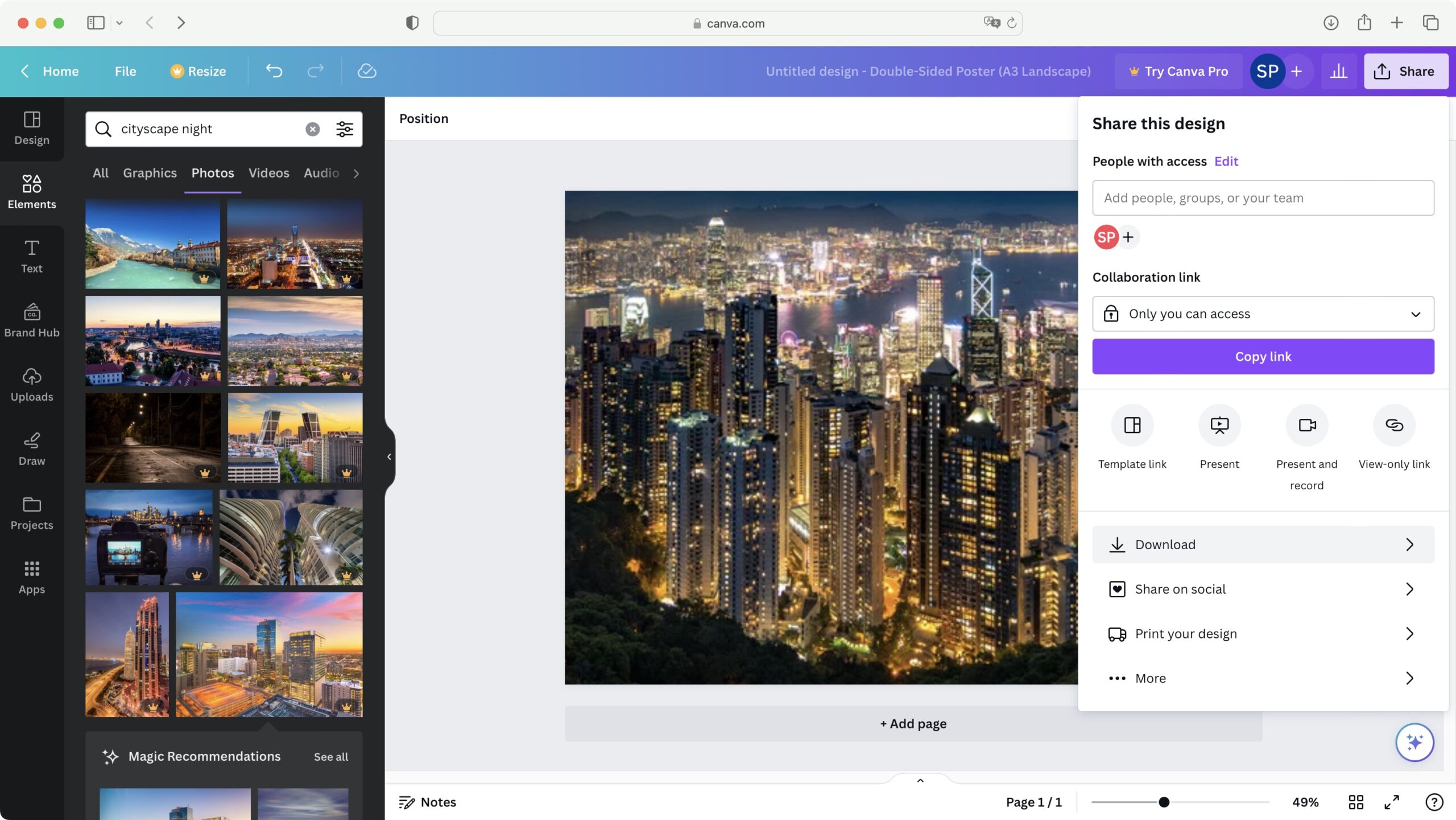
The Power of Good Graphic Design Programs
Graphic design is a dynamic and ever-evolving field that relies heavily on technology and creativity. To excel in this industry, having access to good graphic design programs is essential. These programs not only provide the tools necessary for designing visually appealing content but also foster innovation and efficiency in the design process.
Benefits of Good Graphic Design Programs:
- Enhanced Creativity: Good graphic design programs offer a wide range of features and functionalities that allow designers to unleash their creativity. From intricate illustrations to stunning animations, these programs provide the flexibility to bring any design idea to life.
- Efficiency and Productivity: With intuitive interfaces and streamlined workflows, good graphic design programs help designers work more efficiently. Time-saving features such as templates, shortcuts, and automation tools enable designers to focus on the creative aspects of their work rather than getting bogged down by technicalities.
- Professional Results: High-quality graphic design programs produce professional results that meet industry standards. Whether creating logos, brochures, websites, or social media graphics, these programs ensure that designs are polished, visually appealing, and effective in conveying their intended message.
- Adaptability: The best graphic design programs are versatile and adaptable to various design needs. They support a wide range of file formats, allow for easy collaboration with team members, and enable seamless integration with other software applications commonly used in the design industry.
Popular Graphic Design Programs:
There are several popular graphic design programs available in the market that cater to different skill levels and preferences. Some of the top choices among designers include Adobe Photoshop, Illustrator, and InDesign, which are known for their robust features and industry-leading capabilities.
Other notable graphic design programs include CorelDRAW Graphics Suite, Sketch, Affinity Designer, Canva, and GIMP. Each program offers unique strengths and functionalities that cater to specific design requirements.
In Conclusion
Good graphic design programs are indispensable tools for designers looking to create impactful visual content. By investing in quality software and mastering its capabilities, designers can elevate their craft, produce professional-grade designs, and stand out in a competitive industry driven by innovation and creativity.
Essential FAQs on Selecting and Using Top Graphic Design Programmes
- What are the best graphic design programs available?
- How do I choose the right graphic design program for my needs?
- Are there free graphic design programs that are worth using?
- What features should I look for in a good graphic design program?
- Can graphic design programs be used on both Mac and PC platforms?
- Are online courses available to learn how to use specific graphic design programs?
- Do graphic design programs require a high level of technical expertise to operate effectively?
- What are the differences between vector-based and raster-based graphic design programs?
What are the best graphic design programs available?
When it comes to the best graphic design programs available, there are several top contenders that consistently stand out in the industry. Adobe Creative Cloud is a popular choice among designers, offering a comprehensive suite of tools such as Photoshop, Illustrator, and InDesign that cater to various design needs. Other noteworthy options include CorelDRAW Graphics Suite, known for its vector illustration capabilities, and Sketch, favoured for its user-friendly interface and prototyping features. Additionally, Affinity Designer and Canva have gained popularity for their affordability and versatility in creating stunning designs. Ultimately, the best graphic design program for you will depend on your specific requirements, skill level, and preferred workflow.
How do I choose the right graphic design program for my needs?
When faced with the question of how to choose the right graphic design program for your needs, it is essential to consider several factors that align with your specific requirements and skill level. Begin by assessing the features and capabilities of different programs to determine which ones best suit your design goals. Consider factors such as ease of use, compatibility with your workflow, available resources for learning and support, and the types of projects you intend to work on. Additionally, seek recommendations from experienced designers, read reviews, and explore trial versions of software to get a feel for their functionality. By conducting thorough research and evaluating your priorities, you can make an informed decision that will empower you to create exceptional designs tailored to your unique vision and style.
Are there free graphic design programs that are worth using?
When it comes to free graphic design programs, there are indeed several options that are worth using for both beginners and professionals. Software such as GIMP, Inkscape, and Canva offer robust features and functionalities without the need for a subscription or upfront cost. These programs provide a solid foundation for creating quality designs, whether it be photo editing, vector graphics, or social media graphics. While they may have some limitations compared to premium software, free graphic design programs can still deliver impressive results and serve as valuable tools for those looking to explore the world of design without breaking the bank.
What features should I look for in a good graphic design program?
When considering what features to look for in a good graphic design program, it is essential to prioritise functionality, versatility, and user-friendliness. A robust set of tools for creating and editing graphics, such as layers, brushes, and effects, is crucial for executing diverse design projects. Additionally, support for various file formats and seamless integration with other software can enhance workflow efficiency. Customisation options, intuitive interfaces, and responsive customer support are also key factors to consider when selecting a graphic design program that aligns with your creative needs and technical requirements.
Can graphic design programs be used on both Mac and PC platforms?
Graphic design programs are typically designed to be compatible with both Mac and PC platforms, offering flexibility for designers who may prefer one operating system over the other. Many popular graphic design software, such as Adobe Creative Cloud suite, CorelDRAW Graphics Suite, and Affinity Designer, are available for both Mac and PC users. This cross-platform compatibility allows designers to seamlessly switch between different devices without compromising on the quality or functionality of the software. Whether you are a Mac enthusiast or a PC loyalist, you can find a range of graphic design programs that cater to your preferred platform while delivering the tools you need to create stunning visual content.
Are online courses available to learn how to use specific graphic design programs?
Online courses are a popular and accessible way to learn how to use specific graphic design programs. Many reputable online platforms offer comprehensive courses tailored to beginners, intermediate learners, and advanced users looking to enhance their skills in programs such as Adobe Photoshop, Illustrator, and InDesign. These courses provide step-by-step tutorials, practical exercises, and expert guidance to help individuals master the tools and techniques required for effective graphic design. Whether you are a novice seeking to start your design journey or a seasoned professional looking to expand your knowledge, online courses offer the flexibility and convenience to learn at your own pace and from anywhere with an internet connection.
Do graphic design programs require a high level of technical expertise to operate effectively?
When it comes to graphic design programs, the level of technical expertise required to operate them effectively can vary depending on the complexity and features of the software. While some graphic design programs may have a steeper learning curve and demand a higher level of technical proficiency to utilise advanced functionalities, there are also user-friendly programs available that cater to beginners and intermediate users. Ultimately, investing time in learning the ins and outs of a graphic design program can significantly enhance one’s ability to create visually compelling designs and streamline the design process, regardless of one’s initial technical expertise level.
What are the differences between vector-based and raster-based graphic design programs?
When exploring good graphic design programs, understanding the differences between vector-based and raster-based software is crucial. Vector-based programs, such as Adobe Illustrator, use mathematical equations to create scalable graphics composed of points, lines, and curves. This allows for crisp, high-quality images that can be resized without losing clarity. On the other hand, raster-based programs like Adobe Photoshop work with pixels to create images, making them ideal for detailed photo editing but less suitable for scaling without loss of quality. Designers often choose between these two types of programs based on the specific requirements of their projects, with vector-based software excelling in creating logos and illustrations while raster-based software is preferred for photo manipulation and digital painting.