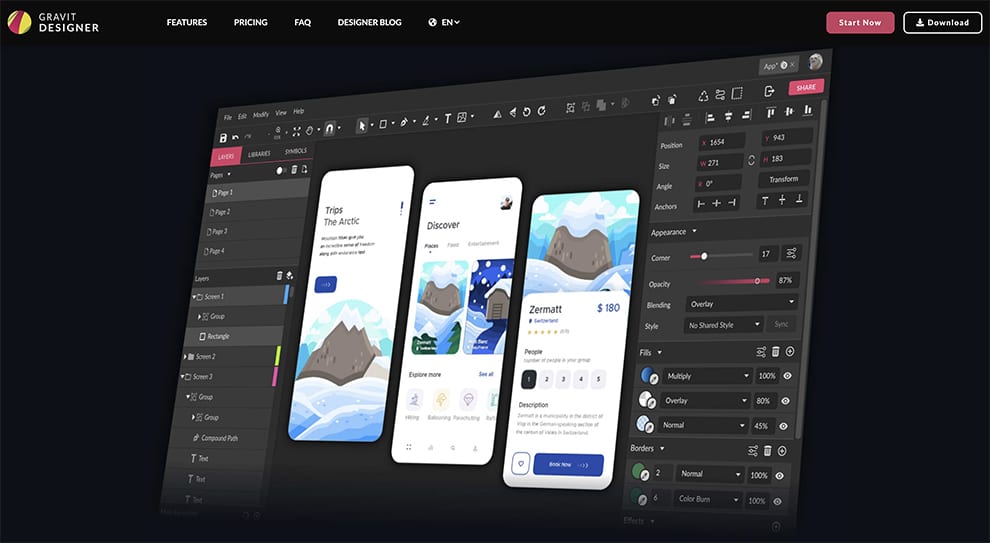
The Evolution of Graphics Designing Software
Graphics designing software has revolutionised the way designers create visual content. From simple pixel-based editors to advanced vector graphics tools, the evolution of these software applications has been remarkable.
Early Days: Pixel-Based Editors
In the early days of graphics design, pixel-based editors like MS Paint and Adobe Photoshop dominated the scene. Designers worked with individual pixels to create images, making it a time-consuming process with limited scalability.
Rise of Vector Graphics Tools
With the rise of vector graphics tools such as Adobe Illustrator and CorelDRAW, designers gained more flexibility and precision in their work. Vector graphics allowed for scalable designs without loss of quality, making it ideal for logos, illustrations, and typography.
Integration of 3D Modelling
As technology advanced, graphics designing software started integrating 3D modelling capabilities. Programs like Blender and Autodesk Maya enabled designers to create three-dimensional objects and scenes with realistic textures and lighting effects.
Specialised Software for UI/UX Design
In recent years, specialised software like Sketch and Adobe XD have emerged to cater specifically to UI/UX designers. These tools streamline the design process for websites and mobile apps, offering features such as prototyping and collaboration.
The Future: AI-Powered Design Tools
The future of graphics designing software is likely to be shaped by artificial intelligence. AI-powered tools can automate repetitive tasks, suggest design elements based on user preferences, and even generate designs autonomously.
In Conclusion
Graphics designing software has come a long way from its humble beginnings. With a wide range of tools catering to different design needs, designers today have more options than ever to unleash their creativity and bring their ideas to life.
9 Essential Tips for Mastering Graphic Design Software
- Familiarize yourself with the software interface and tools to work efficiently.
- Learn keyboard shortcuts to speed up your workflow.
- Experiment with different features to discover new techniques and styles.
- Use layers effectively to organize your design elements.
- Save your work regularly to avoid losing progress.
- Seek inspiration from other designers and artists for creative ideas.
- Utilize grids and guides for precise alignment and spacing.
- Keep your workspace clutter-free by managing panels and windows efficiently.
- Practice regularly to improve your skills and stay updated with the latest trends.
Familiarize yourself with the software interface and tools to work efficiently.
To enhance your efficiency in graphic design, it is crucial to familiarise yourself with the software interface and tools. By understanding how the software functions and mastering its various tools, you can work more effectively and produce high-quality designs. Investing time in learning the intricacies of the software will not only streamline your workflow but also unlock new creative possibilities, allowing you to express your ideas with precision and finesse.
Learn keyboard shortcuts to speed up your workflow.
Learning keyboard shortcuts is a valuable tip for graphic designers looking to enhance their workflow efficiency. By mastering key combinations for common tasks in graphics designing software, such as selecting tools, manipulating objects, or adjusting settings, designers can significantly reduce the time spent on repetitive actions. This not only speeds up the design process but also allows designers to maintain focus and creativity without interruptions. Embracing keyboard shortcuts is a simple yet powerful way to streamline workflow and improve overall productivity in graphic design projects.
Experiment with different features to discover new techniques and styles.
To truly expand your creative horizons in graphics designing software, it is essential to experiment with various features and tools. By exploring different functionalities within the software, you can uncover new techniques and styles that may inspire fresh ideas and elevate your designs. Embracing this spirit of experimentation not only enhances your skill set but also encourages innovation and originality in your work. So, don’t hesitate to step out of your comfort zone and push the boundaries of what is possible with the software – you never know what exciting discoveries you may make along the way.
Use layers effectively to organize your design elements.
To optimise your design workflow in graphics designing software, it is essential to utilise layers effectively. By organising your design elements into separate layers, you can easily manage and manipulate individual components without affecting the rest of the design. Layers help maintain clarity and structure in your projects, allowing you to work more efficiently and make adjustments seamlessly. Whether it’s adjusting the position of an object, changing its appearance, or experimenting with different effects, using layers ensures a systematic approach to creating visually appealing designs.
Save your work regularly to avoid losing progress.
It is crucial to save your work regularly when using graphics designing software to prevent any potential loss of progress. By saving your work frequently, you can safeguard against unexpected software crashes or system failures that could otherwise erase your hard work. Making it a habit to save your projects at regular intervals ensures that you can easily recover and continue from where you left off, maintaining the integrity of your design process and preserving your creative efforts.
Seek inspiration from other designers and artists for creative ideas.
Seeking inspiration from other designers and artists is a valuable tip for enhancing creativity in graphics design. By exploring the works of talented individuals in the field, designers can gain fresh perspectives, discover new techniques, and ignite their own creative ideas. Drawing inspiration from a diverse range of sources not only enriches the design process but also fosters innovation and originality in visual communication. Embracing the creativity of others can serve as a catalyst for pushing boundaries and creating impactful designs that resonate with audiences.
Utilize grids and guides for precise alignment and spacing.
To enhance the precision and consistency of your designs, it is highly recommended to utilise grids and guides within graphics designing software. By aligning elements to a grid and using guides for spacing, you can ensure that your layout is structured and visually appealing. This practice not only helps in achieving a professional look but also streamlines the design process by maintaining uniformity throughout your project. Grids and guides serve as valuable tools for designers seeking to create visually balanced compositions with accurate alignment and spacing.
Keep your workspace clutter-free by managing panels and windows efficiently.
To optimise your workflow in graphics designing software, it is crucial to maintain a clutter-free workspace by managing panels and windows efficiently. By organising and customising the layout of your tools and windows, you can streamline your design process, reduce distractions, and focus on the task at hand. Keeping only essential panels visible and arranging them in a logical manner not only improves productivity but also enhances your overall user experience, allowing you to work more effectively and creatively.
Practice regularly to improve your skills and stay updated with the latest trends.
To enhance your proficiency in graphics designing software, it is essential to engage in regular practice sessions. By consistently honing your skills, you not only refine your techniques but also cultivate a deeper understanding of the tools at your disposal. Furthermore, staying abreast of the latest trends in the industry ensures that your work remains relevant and innovative. Continuous practice and keeping up with current developments empower you to push boundaries, explore new possibilities, and evolve as a proficient graphic designer.