Exploring Free Software for Graphic Design
Graphic design is a creative field that relies heavily on software tools to bring ideas to life. While premium graphic design software can be costly, there are also excellent free alternatives available that provide powerful features for designers of all levels.
GIMP (GNU Image Manipulation Program)
GIMP is a popular open-source image editor that offers a wide range of tools for photo retouching, image composition, and graphic design. With support for various file formats and customizable brushes, GIMP is a versatile option for creating stunning visuals.
Inkscape
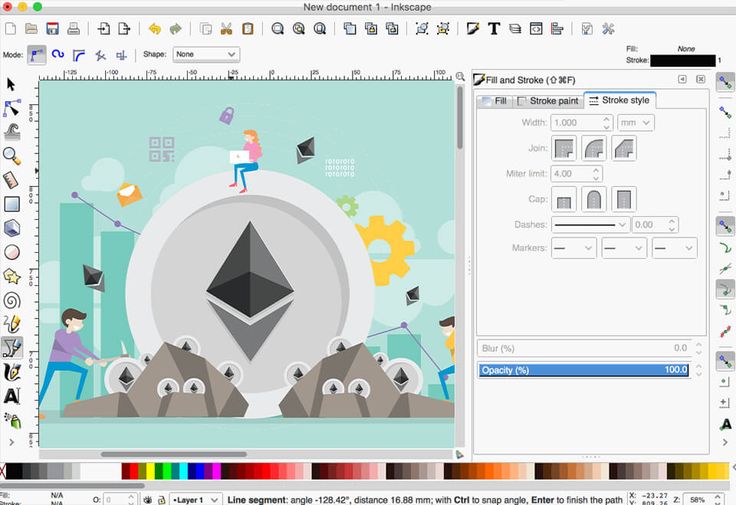
Inkscape is a free vector graphics editor that enables designers to create scalable graphics with precision. Its intuitive interface and robust features make it an ideal choice for creating logos, illustrations, and other vector-based designs.
Canva
Canva is a web-based graphic design platform that offers a user-friendly interface and a vast library of templates, images, and fonts. While Canva offers premium features with a subscription, its free version provides ample tools for creating social media graphics, presentations, posters, and more.
Gravit Designer
Gravit Designer is a powerful vector design application available both online and offline. With advanced features such as multiple artboards, boolean operations, and typography controls, Gravit Designer is suitable for professional graphic designers looking for a free yet robust tool.
Scribus
Scribus is an open-source desktop publishing software that allows users to create professional layouts for documents such as brochures, newsletters, and magazines. With support for CMYK colour space and PDF export capabilities, Scribus is a valuable tool for print-based graphic design projects.
Whether you are a seasoned designer or just starting in the field of graphic design, exploring free software options can help you unleash your creativity without breaking the bank. Try out these software tools mentioned above and discover the endless possibilities they offer in your design journey.
Top 7 FAQs About Free Graphic Design Software and Alternatives to Canva
- Is there any free graphic design software?
- Is there a 100% free alternative to Canva?
- Which software is best for graphics design?
- Which free app is best for graphic design?
- How can I start graphic design for free?
- What is the easiest graphics software to use?
- Is Canva actually free?
Is there any free graphic design software?
In response to the frequently asked question, “Is there any free graphic design software?” Yes, there are several free graphic design software options available that cater to different design needs and skill levels. From open-source image editors like GIMP and vector graphics editors such as Inkscape to user-friendly platforms like Canva and professional tools like Gravit Designer, the realm of free graphic design software offers a diverse range of applications for designers seeking cost-effective solutions without compromising on creativity or functionality. Whether you’re creating illustrations, editing photos, designing layouts, or crafting digital artwork, exploring these free software options can provide valuable resources for unleashing your artistic potential.
Is there a 100% free alternative to Canva?
When it comes to finding a 100% free alternative to Canva, designers often seek options that provide similar features and usability without any cost. While Canva itself offers a free version with a wide array of design tools and templates, individuals looking for completely free alternatives may explore platforms like GIMP, Inkscape, and other open-source graphic design software. These tools may not replicate Canva’s exact interface or template library, but they offer robust capabilities for creating engaging visuals without any financial investment. By exploring different software options, designers can find the right balance between functionality and affordability to suit their graphic design needs.
Which software is best for graphics design?
When it comes to graphic design software, the question of which is the best often arises. While personal preferences and specific project requirements play a significant role in determining the ideal software for each designer, there are several popular options that stand out in the industry. Some designers swear by Adobe Photoshop for its versatility and extensive features, while others prefer Adobe Illustrator for its vector-based capabilities. Additionally, software like CorelDRAW and Affinity Designer have gained a strong following for their unique tools and functionalities. Ultimately, the best software for graphic design depends on individual needs, skill level, and comfort with the interface, so exploring different options and finding what works best for you is key to achieving your design goals effectively.
Which free app is best for graphic design?
When it comes to choosing the best free app for graphic design, there are several excellent options available that cater to different design needs and preferences. Popular choices include GIMP, a versatile image editor with powerful features for photo manipulation and graphic design, and Inkscape, a robust vector graphics editor ideal for creating scalable designs. Canva is another top contender, offering a user-friendly platform with a vast library of templates and design elements suitable for various projects. Ultimately, the best free app for graphic design depends on the specific requirements of the designer and the type of designs they aim to create. Experimenting with different apps can help individuals find the perfect fit for their creative endeavours.
How can I start graphic design for free?
Embarking on a journey into graphic design without incurring costs is entirely feasible with the abundance of free software available. To start graphic design for free, aspiring designers can explore tools like GIMP, Inkscape, Canva, Gravit Designer, and Scribus. These software options offer a range of features for image editing, vector graphics creation, layout design, and more. By utilising these free resources, beginners can hone their skills, unleash their creativity, and kickstart their graphic design endeavours without financial barriers hindering their progress.
What is the easiest graphics software to use?
When it comes to finding the easiest graphics software to use, many users often turn to Canva. Canva is renowned for its user-friendly interface, intuitive drag-and-drop functionality, and extensive library of templates and design elements. Whether you are a beginner or an experienced designer, Canva simplifies the design process with its straightforward tools, making it a popular choice for creating social media graphics, presentations, posters, and more. Its accessibility and versatility make it a top contender for those seeking an easy-to-use graphic design solution.
Is Canva actually free?
When it comes to the question of whether Canva is truly free, the answer lies in understanding its pricing structure. While Canva does offer a free version with a wide range of design tools and templates, it also provides premium features and assets that require a paid subscription. Users can access basic design functionalities at no cost, but for more advanced features like additional templates, premium images, and branding options, a Canva Pro subscription is necessary. Therefore, while Canva does have a free option available, users looking to leverage its full potential may opt for the paid subscription to unlock additional design capabilities.