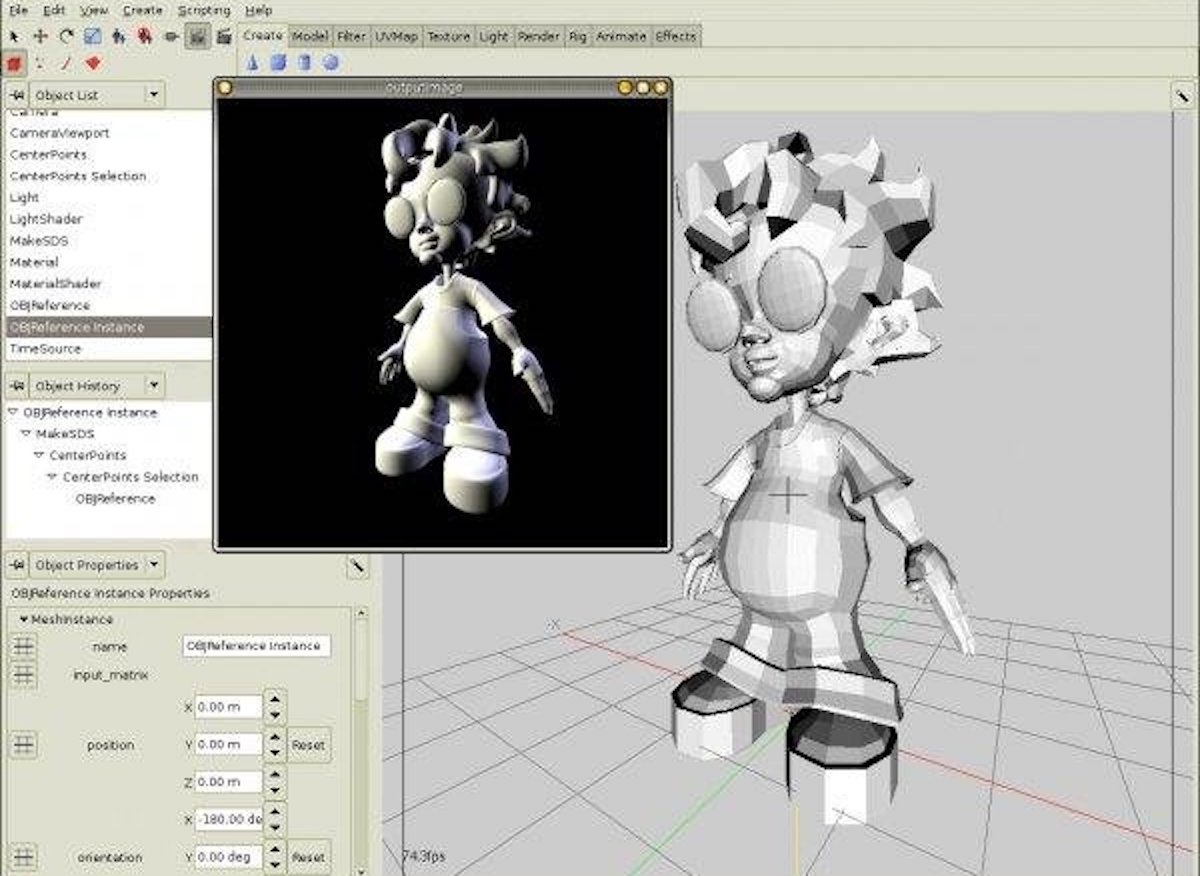
Exploring 3D Animation Programs
3D animation has revolutionised the world of visual storytelling, allowing creators to bring their imagination to life in ways never thought possible. Whether you are a seasoned professional or an aspiring animator, having the right tools at your disposal is essential for creating stunning and immersive animations.
Popular 3D Animation Programs:
Autodesk Maya
Autodesk Maya is a powerful and widely-used software in the industry, known for its robust set of tools for modelling, animation, and rendering. It offers a comprehensive feature set that caters to the needs of animators working on films, games, and visual effects.
Blender
Blender is a free and open-source 3D creation suite that has gained popularity for its versatility and community support. It offers a range of features including modelling, sculpting, animation, compositing, and more. Blender is ideal for artists looking for a cost-effective solution without compromising on quality.
Cinema 4D
Cinema 4D is renowned for its user-friendly interface and intuitive workflow, making it a popular choice among motion graphics artists and designers. It provides powerful tools for creating dynamic animations, simulations, and visual effects with ease.
Choosing the Right Program:
When selecting a 3D animation program, consider factors such as your skill level, project requirements, budget constraints, and compatibility with other software you may be using. Each program has its strengths and unique features that cater to different aspects of animation production.
Whether you are creating character animations for games or crafting cinematic sequences for films, exploring various 3D animation programs can help you find the right fit for your creative vision.
Essential Tips for Mastering 3D Animation Software: A Guide to Efficiency and Realism
- Start by mastering the basics of animation principles such as timing and spacing.
- Utilise keyboard shortcuts to speed up your workflow in any 3D software.
- Regularly save your work and use incremental saves to avoid losing progress.
- Familiarise yourself with the interface of your chosen software to enhance efficiency.
- Experiment with different lighting setups to improve the realism of your scenes.
- Use reference materials, like videos or photographs, to guide realistic animations.
- Keep models simple at first; focus on getting the movement right before adding detail.
- Learn about rigging techniques for creating more versatile character animations.
- Join online communities or forums dedicated to 3D animation for tips and feedback.
Start by mastering the basics of animation principles such as timing and spacing.
To excel in the realm of 3D animation programs, it is crucial to begin by mastering the fundamentals of animation principles, including timing and spacing. Understanding these core concepts lays a solid foundation for creating dynamic and visually engaging animations. By honing your skills in timing and spacing, you can bring life and fluidity to your animated sequences, enhancing the overall quality and impact of your work. Embracing these fundamental principles sets the stage for further exploration and creativity within the world of 3D animation.
Utilise keyboard shortcuts to speed up your workflow in any 3D software.
Utilising keyboard shortcuts is a valuable tip to enhance your workflow efficiency in any 3D animation program. By memorising and implementing key combinations for common tasks, you can significantly reduce the time spent navigating menus and accessing tools. Keyboard shortcuts not only streamline your workflow but also allow for a smoother and more seamless animation process, enabling you to focus more on the creative aspects of your work. Mastering these shortcuts can greatly improve productivity and help you achieve your animation goals more effectively.
Regularly save your work and use incremental saves to avoid losing progress.
To ensure the safety of your work and prevent any loss of progress, it is crucial to regularly save your 3D animation projects. Utilising incremental saves, where you create new versions of your file at key stages of development, can be a lifesaver in case of unexpected software crashes or errors. By incorporating this simple habit into your workflow, you can safeguard your hard work and creativity, giving you peace of mind as you delve into the world of 3D animation.
Familiarise yourself with the interface of your chosen software to enhance efficiency.
Familiarising yourself with the interface of your chosen 3D animation software is a crucial tip to enhance efficiency in your workflow. By understanding the layout, tools, and navigation within the software, you can work more seamlessly and effectively on your animations. Mastering the interface allows you to access features quickly, streamline your creative process, and focus on bringing your ideas to life without unnecessary obstacles. Investing time in learning the ins and outs of the software interface can significantly boost your productivity and overall quality of work in 3D animation projects.
Experiment with different lighting setups to improve the realism of your scenes.
Experimenting with different lighting setups is a valuable tip to enhance the realism of your 3D animation scenes. Lighting plays a crucial role in creating atmosphere, depth, and mood in animations. By exploring various lighting configurations, such as key lights, fill lights, and ambient lights, animators can achieve more lifelike visuals that engage viewers and evoke emotional responses. Adjusting light intensity, colour temperature, and shadows can significantly impact the overall look and feel of a scene, adding depth and dimension to animated characters and environments.
Use reference materials, like videos or photographs, to guide realistic animations.
To enhance the realism of your 3D animations, it is essential to utilise reference materials such as videos or photographs. These resources provide valuable visual cues and details that can guide the movement, texture, and overall look of your animations. By studying real-world elements through reference materials, animators can imbue their creations with a sense of authenticity and depth, elevating the quality and believability of the final output. Incorporating reference materials into the animation process is a powerful technique that can help artists achieve more lifelike and compelling results in their work.
Keep models simple at first; focus on getting the movement right before adding detail.
When delving into 3D animation programs, a valuable tip to keep in mind is to start with simple models and prioritise perfecting the movement before delving into intricate details. By focusing on getting the movement right initially, animators can establish a strong foundation for their animations and ensure that the essence of the motion is captured effectively. This approach not only enhances the overall quality of the animation but also allows for a smoother integration of details later on, resulting in a more polished and dynamic final product.
Learn about rigging techniques for creating more versatile character animations.
Understanding rigging techniques is crucial for enhancing the versatility of character animations in 3D animation programs. Rigging involves creating a digital skeleton or structure for characters, allowing animators to manipulate their movements and expressions with precision. By mastering rigging techniques, animators can achieve more lifelike and dynamic character animations, bringing their creations to life in a way that captivates audiences and adds depth to storytelling.
Join online communities or forums dedicated to 3D animation for tips and feedback.
Engaging with online communities or forums dedicated to 3D animation can be a valuable resource for both beginners and experienced animators. By joining these platforms, you can connect with like-minded individuals, seek advice, share your work for feedback, and stay updated on the latest trends and techniques in the industry. The diverse perspectives and insights offered within these communities can help you enhance your skills, troubleshoot challenges, and find inspiration to take your 3D animations to the next level.