iClone Software: A Practical Guide to Real-Time 3D Animation
iClone is a real-time 3D animation programme developed by Reallusion. It is designed to help users create animated characters, scenes and videos without having to build every element from scratch. By bringing character animation, scene creation and visualisation together in one application, iClone can make the production process more accessible to independent creators, small studios and larger teams.
What can you do with iClone?
iClone supports a range of projects, from short films and promotional videos to pre-visualisation, game content and virtual production. Users can assemble scenes, position cameras and lights, animate characters, and review their work in real time. The software is intended to make it easier to move from an initial idea to a viewable animated sequence.
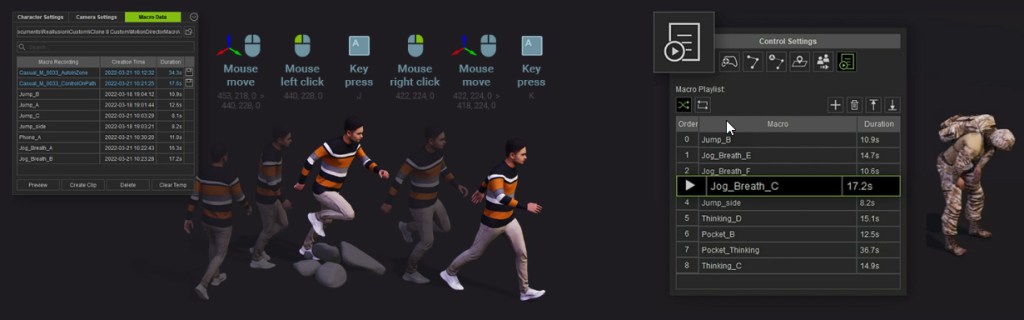
Character work is a major part of the programme. Users can animate characters with keyframes, use motion-capture data where available, or apply ready-made movements and adapt them to suit a scene. Facial animation tools can also help bring dialogue and expressions to life. The precise tools and options available may depend on the version of iClone and any additional Reallusion products being used.
A connected character-creation workflow
iClone is often used alongside other Reallusion software. For example, Character Creator is used to make and customise 3D characters, which can then be brought into iClone for animation. This division of tasks can be useful for projects that need detailed character design as well as a dedicated animation environment.
The software can also fit into wider production pipelines. Depending on the project, users may import or export assets and data for use with other 3D tools, game engines or editing applications. Before choosing a workflow, it is worth checking file-format support, plug-in requirements and compatibility with the specific versions involved.
Why use real-time animation?
Traditional 3D production often involves waiting for images to render before assessing the final look of a scene. iClone’s real-time approach lets users see a working preview while they make changes to characters, cameras, lighting and movement. This can speed up experimentation and make it easier to spot problems early.
Real-time previews can be particularly helpful for storyboarding and pre-visualisation. A filmmaker, for instance, might block out a scene with temporary characters and camera angles before committing to a more detailed production. Animators can also use previews to test timing, staging and performances as they work.
Who is iClone for?
iClone may suit aspiring animators who want a guided route into 3D storytelling, as well as experienced creators looking for an efficient way to produce character-based sequences. It can be relevant to:
- independent filmmakers and video creators;
- 3D animators and character artists;
- educators and students exploring digital production;
- game developers creating or testing character animation;
- production teams working on pre-visualisation or virtual production.
It is not necessarily a replacement for every specialist tool in a 3D pipeline. A project may still require separate software for modelling, sculpting, compositing, editing or advanced effects. The best choice depends on the desired result, the team’s existing skills and the applications already in use.
Getting started
New users can begin with a simple scene: choose a character, add a basic movement, set up a camera and preview the result. From there, they can explore character customisation, facial performance, lighting and more complex scenes. Tutorials and sample projects can help explain the workflow, while starting with a short sequence keeps the learning process manageable.
It is also sensible to check the current system requirements, pricing and licensing terms before downloading or purchasing the software. Requirements and available features can change between releases, and some tools or content may be sold separately.
Conclusion
iClone is a real-time 3D animation tool focused on making character-driven production more direct and interactive. Its scene-building and animation workflow can help creators develop ideas, test performances and produce finished sequences. For anyone considering it, the most useful first step is to compare its current features with the needs of a specific project and try a small animation before committing to a larger workflow.
iClone Software FAQs: Features, Pricing, System Requirements and Compatibility
- What is iClone software used for?
- Is iClone suitable for beginners?
- Is there a free trial of iClone?
- How much does iClone cost?
- What are the system requirements for iClone?
- Can iClone import and export 3D models and animation files?
- Can iClone use motion-capture data?
- Does iClone work with Character Creator and game engines such as Unreal Engine?
What is iClone software used for?
iClone is a real-time 3D animation programme used to create and animate characters, build scenes and produce videos. It supports tasks such as character animation, facial expressions, camera work and lighting, making it useful for projects including short films, game content, promotional videos and pre-visualisation. Depending on the workflow, creators can use ready-made assets or bring in content from other compatible software.
Is iClone suitable for beginners?
Yes, iClone can be suitable for beginners, particularly those who want to create character-based 3D animations without building every asset from scratch. Its real-time previews and ready-made characters, motions and scenes can make it easier to experiment and learn. There is still a learning curve, especially when working with cameras, lighting and animation controls, so starting with a short, simple project and following tutorials is a good way to get comfortable with the software.
Is there a free trial of iClone?
Yes, Reallusion offers a free trial of iClone, so you can explore its animation tools before deciding whether to buy it. Trial availability, duration and any feature or export limitations may vary, so check the official Reallusion website for the latest terms and download details.
How much does iClone cost?
The cost of iClone depends on the edition, any current offers and the licensing terms. Reallusion may also sell add-ons, content packs or related software separately, so the total cost can vary according to the tools you need. Check the official Reallusion website for the latest prices, available versions and any trial options before buying.
What are the system requirements for iClone?
iClone’s system requirements vary by version, so check Reallusion’s official requirements for the release you plan to use. In general, you will need a compatible 64-bit version of Windows, a supported processor, sufficient memory and graphics hardware, plus enough storage for the programme and project files. Real-time 3D work can be demanding, so a capable dedicated graphics card and additional RAM may improve performance, particularly with detailed characters and complex scenes. Be sure to check that your computer meets the minimum requirements before installing iClone.
Can iClone import and export 3D models and animation files?
Yes, iClone can import and export a range of 3D models and animation files, making it possible to use assets in a broader production workflow. Supported formats and options depend on the file type, iClone version and any installed plug-ins, so check Reallusion’s current documentation before starting a project. Some assets may need to be converted or adjusted to preserve their materials, rigging or animation data when transferred between programmes.
Can iClone use motion-capture data?
Yes, iClone can use motion-capture data to animate 3D characters. You can import compatible motion files or capture movement using supported motion-capture devices and tools, then apply the animation to a character and refine it in the software. Compatibility and setup depend on the file format, capture system and iClone version, so check Reallusion’s current documentation before choosing a workflow.
Does iClone work with Character Creator and game engines such as Unreal Engine?
Yes. iClone is designed to work with Character Creator, allowing you to create and customise characters before bringing them into iClone for animation. You can also transfer characters, animation and other scene elements to game engines such as Unreal Engine using the relevant export tools and plug-ins. Compatibility and available features can vary by software version, so check the current requirements and workflow documentation before starting a project.